Parabola (Eccentricity Method) -- VektorCAD Tutorial
This tutorial shows how to construct a parabola from a focus and a directrix using the eccentricity definition with e = 1.
Theory
A parabola is the locus of points P such that PF = PD, where F is the focus and PD is the perpendicular distance from P to the directrix line (eccentricity e = 1).
The vertex V lies halfway between the focus and the directrix along the axis. The focal distance FV = p, and the gap between focus and directrix equals 2p.
Conventions
- Normal thickness for all construction, projection, and dimension lines
- Thick for the final parabola curve
carccommand (center+radius arc that cuts a selected entity) to locate precise intersection pointssplineto draw the smooth parabola
Tutorial Video
Problem Statement
Construct a parabola when the distance of the Focus from the directrix is 50 mm.
| Given | Value |
|---|---|
| Distance (Focus to Directrix) | 50 mm |
| Eccentricity (e) | 1 (parabola) |
| Task | Construct parabola by focus-directrix method |
Objective:
| Requirement | Details |
|---|---|
| Commands used | Line, Point, UCS, Carc, Spline, Array, Mirror, Text |
| Construction lines | Normal thickness |
| Final parabola | Thick thickness |
| Entity Snap | ON throughout |
Step-by-Step
1) Setup
-
Thickness -- set to Normal (Thin / Normal / Thick)

-
Entity Snap ON

2) Draw the Directrix and Set the UCS Origin
-
Enable Snap: Turn Snap ON so the mouse pointer aligns precisely with the grid points

-
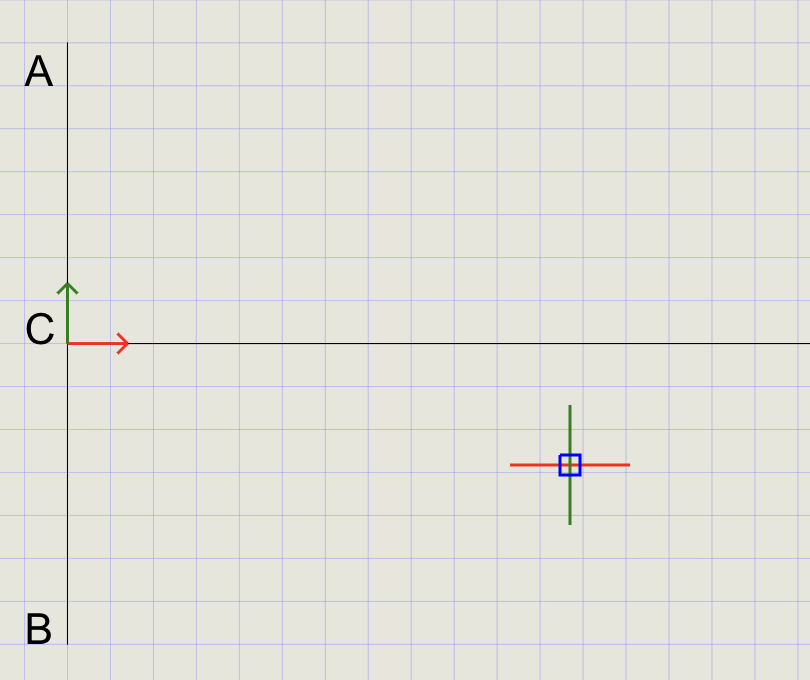
Draw the Directrix: Click Line on the toolbar. Draw a vertical line to represent the directrix
-
Label the Directrix: Click Text on the toolbar and place labels
A(top) andB(bottom) of the vertical line -
Set UCS Origin: Run the UCS command and position the origin directly on the directrix
-
Label the Origin: Use Text to add label
Cnear the UCS origin -
Draw the Axis: With the Line command, draw a line perpendicular to AB to represent the axis. Add label
Dat the end of the axis -
Disable Snap: Turn Snap OFF once the origin is set
3) Mark Focus F and Divide CF into 2 Equal Segments
-
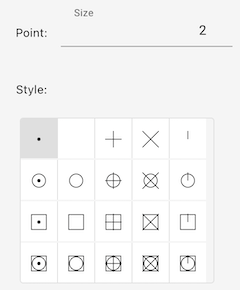
Set Point Style: In the Format Panel, change point size to 2 and select the dot ( . ) style
-
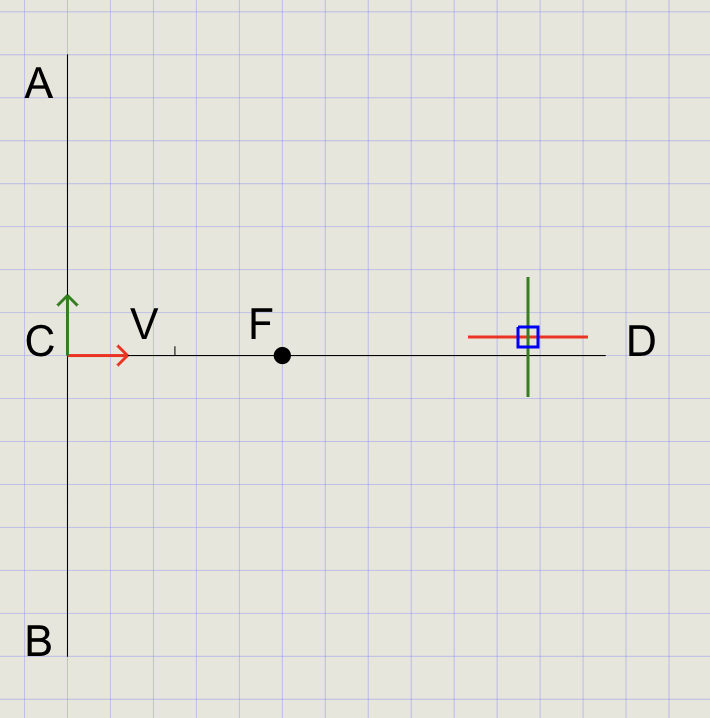
Mark the Focus: Click Point on the toolbar. At the prompt, type
50to place focusFat 50 mm from C -
Label the Focus: Use Text to add label
Fnear the focus point -
Change Point Style: Set point size to 4 and switch to vertical bar ( | ) for visually distinct division points
-
Divide Segment CF:
Step Action a Click Divide from the Point menu b At the prompt, type or click Between c First point: click Con the axisd Second point: click focus Fe Number of segments: type 2and press EnterThis divides
CFinto 2 equal parts (because eccentricity = 1, so the vertex is at the midpoint). -
Label the midpoint as
V
Tip
Use entity snaps like Endpoint and Node for precise selection when clicking points.
4) Draw Line VE
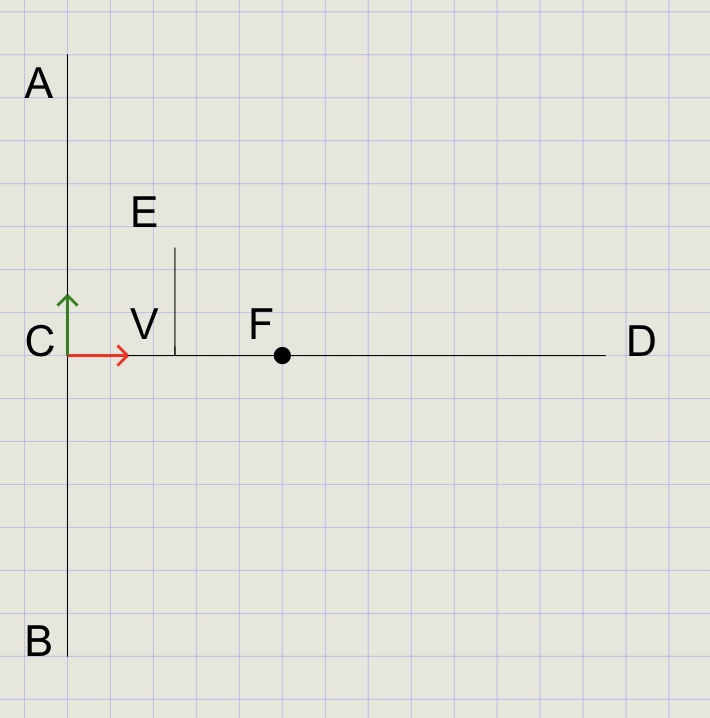
- Click Line and select point
Vas the starting point - At the prompt, choose Distance
- Pick point
Fto define the line length (equal toVF) - Enter
90for the angle, drawing a vertical line - Press Enter to complete
- Use Text to label the endpoint as
E
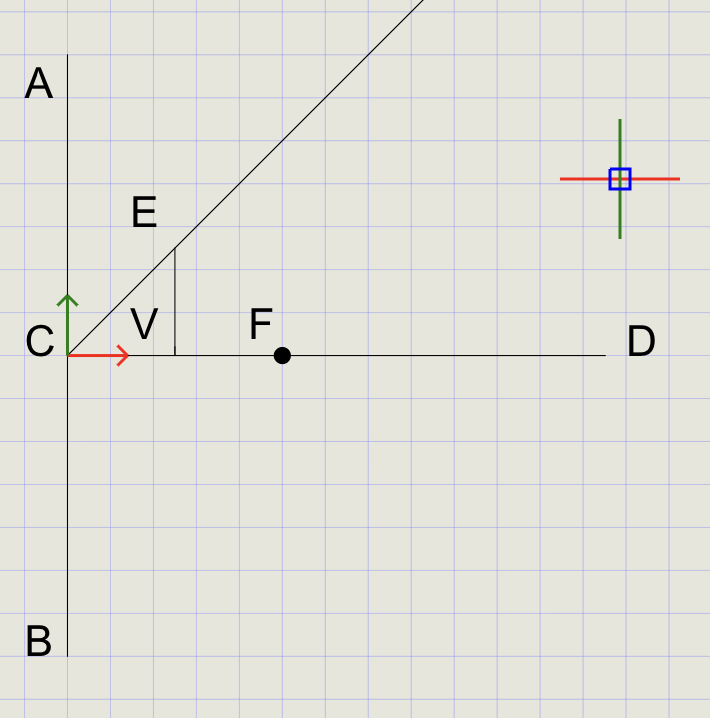
5) Draw Line CE
- Click Line and draw a line from point
Cto pointE - From the Trim dropdown, choose Extend
- Click line
CEnear pointEand pick a point beyond it to extend the line
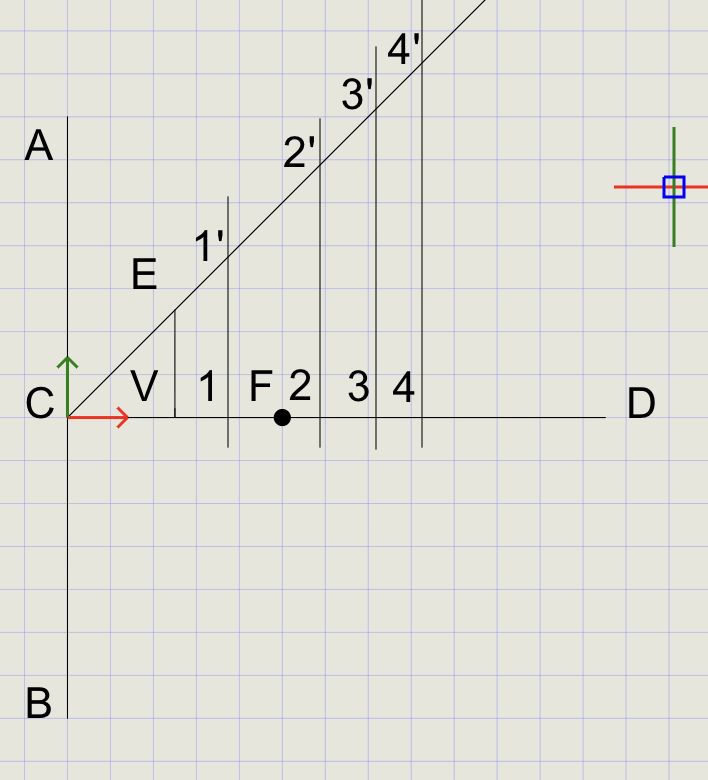
6) Draw Vertical Lines Through Axis CD and Line CE
- Turn Ortho ON from the status bar
- Draw vertical lines passing through axis
CDand lineCE - Turn Ortho OFF when done
- Use Text to label the intersections as
1-1',2-2',3-3', and4-4'
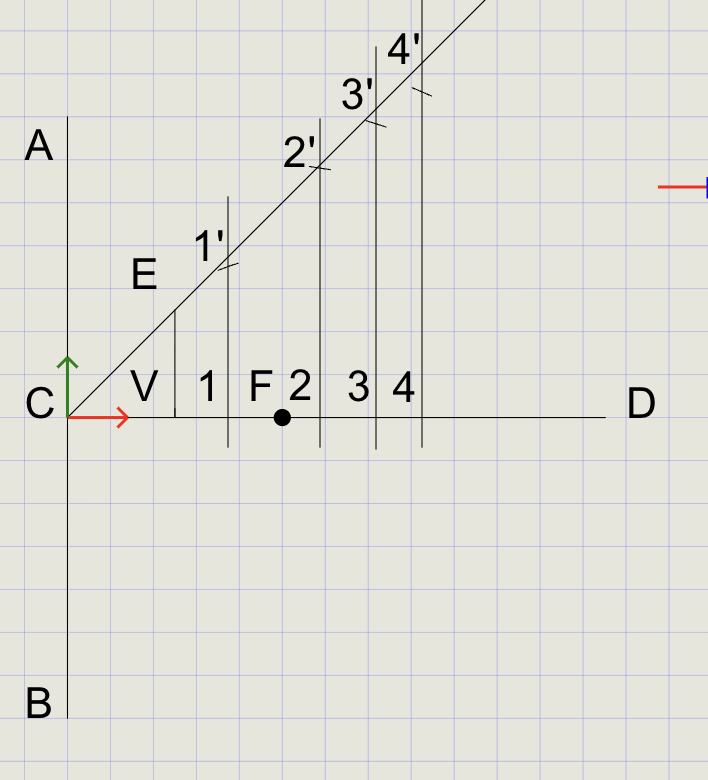
7) Draw Arcs to Cut the Lines
- From the Arc dropdown, select Cutting Arc
-
At the prompts:
Prompt Action Specify radius Select points 1and1'Specify center point Select point FSpecify curve to cut Select line 1-1' -
An arc is created that cuts line
1-1' - Press Enter to repeat Cutting Arc
- Repeat the process for all other vertical lines
Note
For a parabola (e = 1), the arc radius equals the perpendicular distance from the point to the directrix. This is why PF = PD at every intersection.
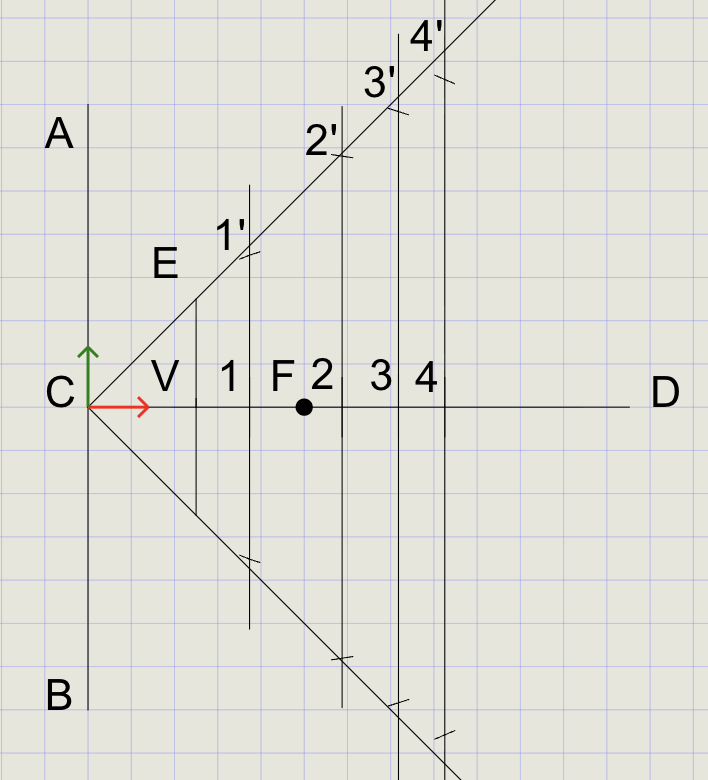
8) Mirror Lines and Arcs
- From the Copy dropdown, click Mirror
- Select all vertical lines, arcs, and line
CE, then press Enter -
At the prompts:
Prompt Action Mirror reference start Click point CMirror reference end Click point F
9) Draw the Final Spline
- In the Format Panel, switch to Thick line thickness
- Click Spline on the toolbar
- Starting at point
4', select all line/arc intersection points in counter-clockwise order - Press Enter to complete the command
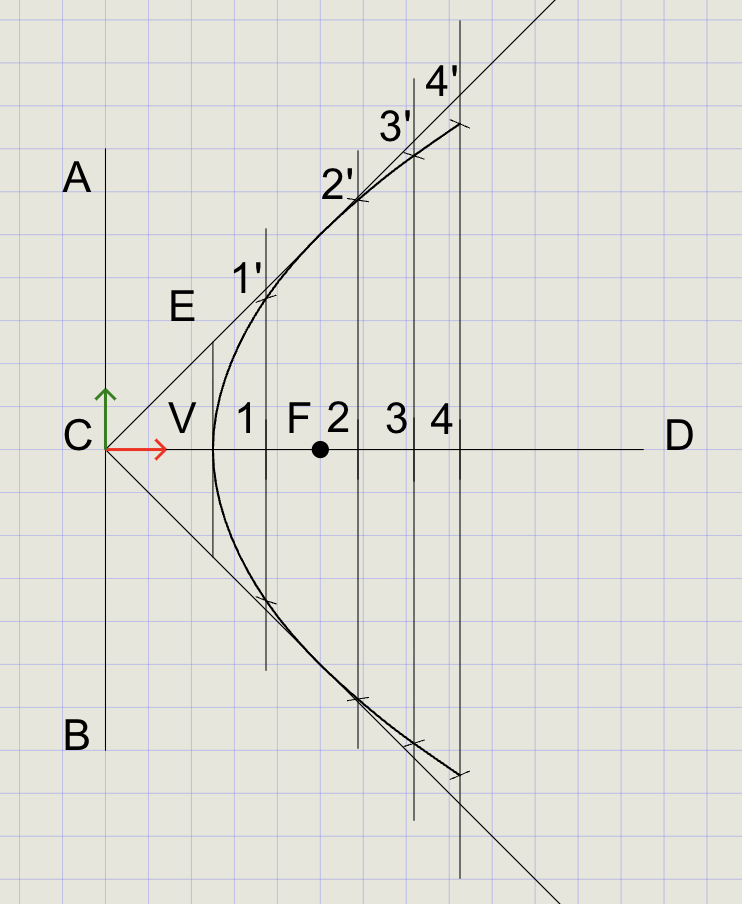
Tip
Pick points in consistent counter-clockwise order for a smooth spline. Unlike the ellipse, the parabola is an open curve -- do not close the spline.
Result Checklist
| Item | Status |
|---|---|
Directrix d, Focus F, and Axis CD drawn and labeled |
|
Vertex V located at midpoint of CF |
|
| Offset lines parallel to directrix at chosen distances | |
carc with center = F and radius = d used for each offset line |
|
| Smooth open spline passes through intersection points | |
| Final parabola in Thick; construction in Normal |
Variations (Practice)
| Variation | What to try |
|---|---|
| Different focal distance | Move focus closer/farther from directrix (changes p) |
| Rotated directrix | Rotate directrix and re-align UCS; repeat at an oblique angle |
| Half construction + mirror | Generate points only on one side and mirror about the axis |
| Compare methods | Compare with rectangle/tangent method (equal angles property) |
Commands Recap
| Command | Purpose |
|---|---|
line |
Directrix, axis, and parallel offset lines |
point |
Mark F, V, and division points |
ucs |
Reposition/align axes for easy numeric offsets |
carc |
Center at F, radius = d to cut offset lines and reveal locus points |
spline |
Draw the smooth open parabola through the points |
mirror |
Mirror lines and arcs to the bottom quadrant |
text |
Labels and notes |
| Format | Normal for construction, Thick for final curve |
Export and share
You've drawn a parabola by the focus-directrix method using carc to produce accurate equal-distance points and spline for a clean result. Export to PDF and verify line weights before sharing.